
Connect a DUT-E CAN fuel level sensor to a Ruptela FM-Pro4
Wire one or two DUT-E CAN fuel level sensors to the CAN1 port of a Ruptela FM-Pro4, calibrate the tank, configure the tracker, and set up fuel level, consumption, reports and filling alerts in Wialon.
wagencontrol.eu/compatibility/ruptela/fm-pro4-dut-e-can/
- Tracker
- Ruptela FM-Pro4
- Sensor
- DUT-E CAN fuel level sensor, one or two per tank system
- Interface
- CAN, CAN1 port of the tracker, FMS mode at 250 kbit/s
- Combined accuracy
- Error of the tracker + sensor measurement not more than 1%
- Sensor software
- Service DUT-E 3.25 or later with the SK DUT-E adapter
- Tracker software
- Ruptela Configurator 00.02.16
- Server in this guide
- Wialon Hosting
Wire the sensor
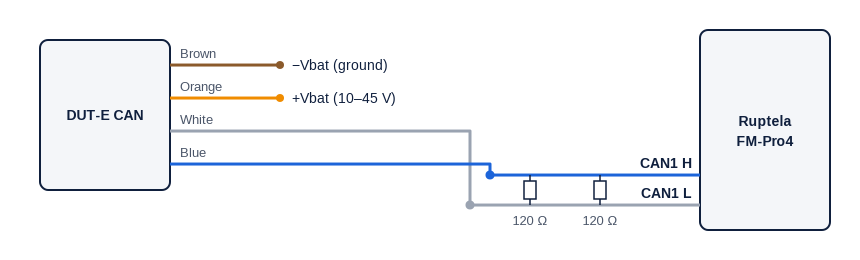
- Sensor white wire (CAN L) → CAN1 L of the FM-Pro4.
- Sensor blue wire (CAN H) → CAN1 H of the FM-Pro4.
- Sensor brown wire (ground) → − of the power supply.
- Sensor orange wire (supply) → + of the power supply.
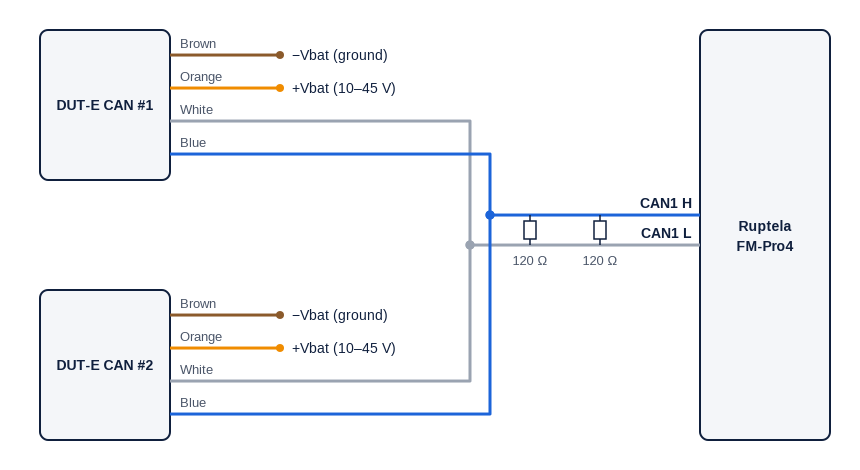
Two sensors share the same bus: connect both CAN H wires to CAN1 H and both CAN L wires to CAN1 L, with the terminating resistors at the two ends of the bus.
Set up and address the sensors
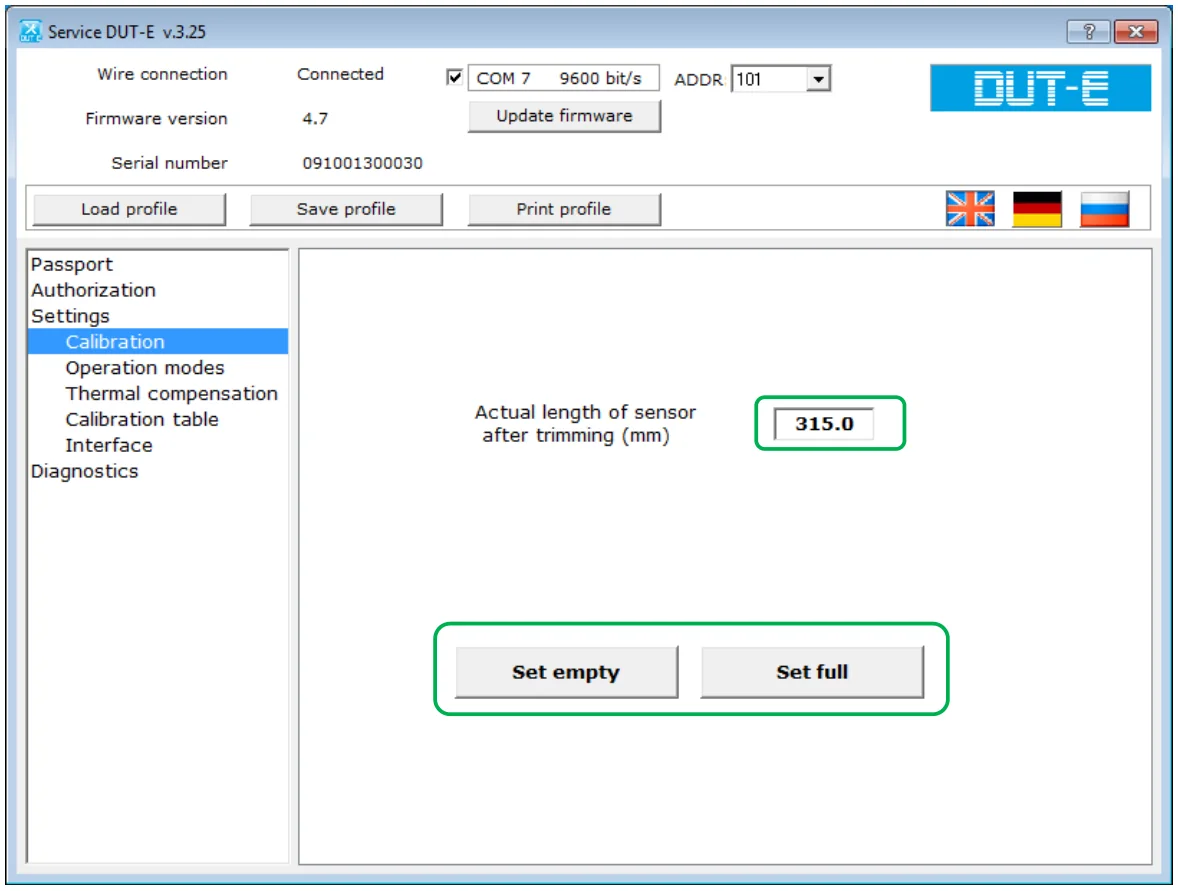
Configure each DUT-E CAN with the SK DUT-E adapter and the Service DUT-E software, version 3.25 or later.
- Enter the actual probe length after trimming it, then calibrate with Set empty and Set full.
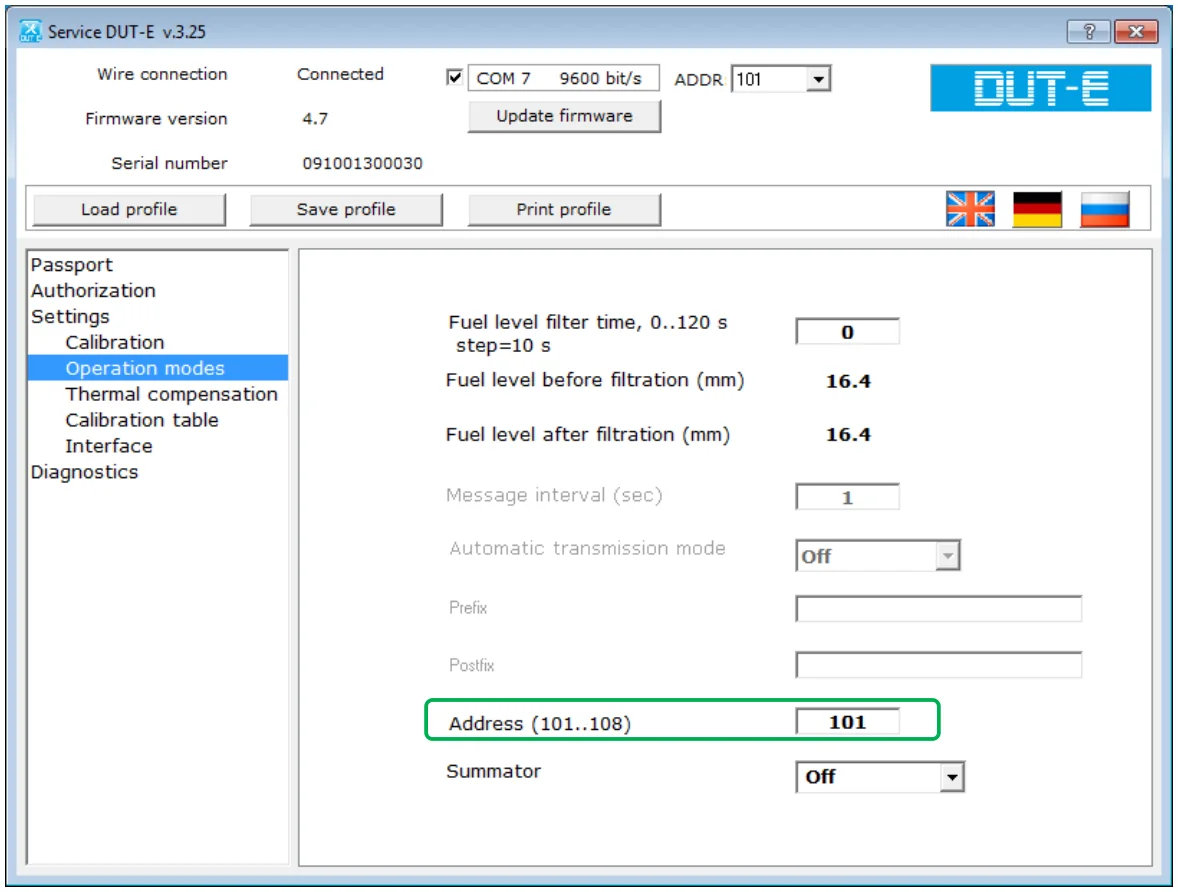
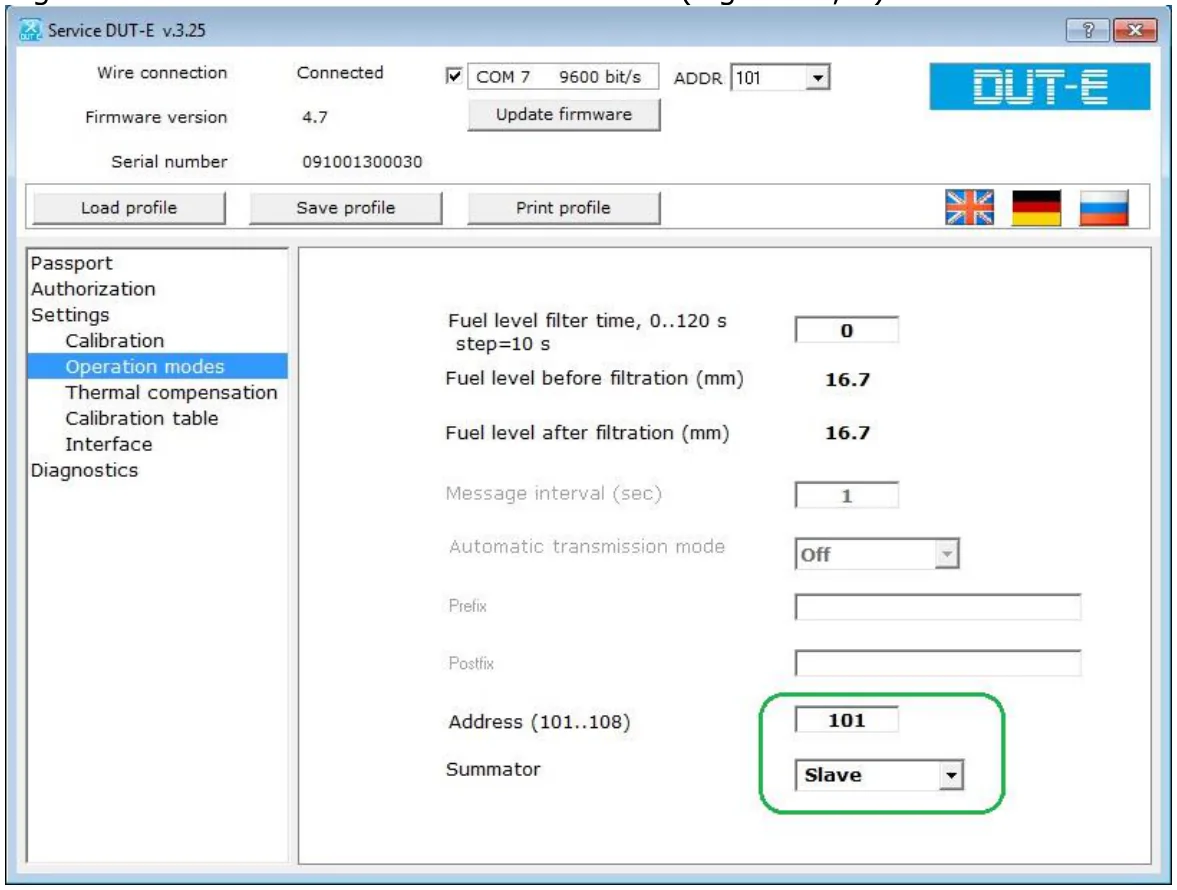
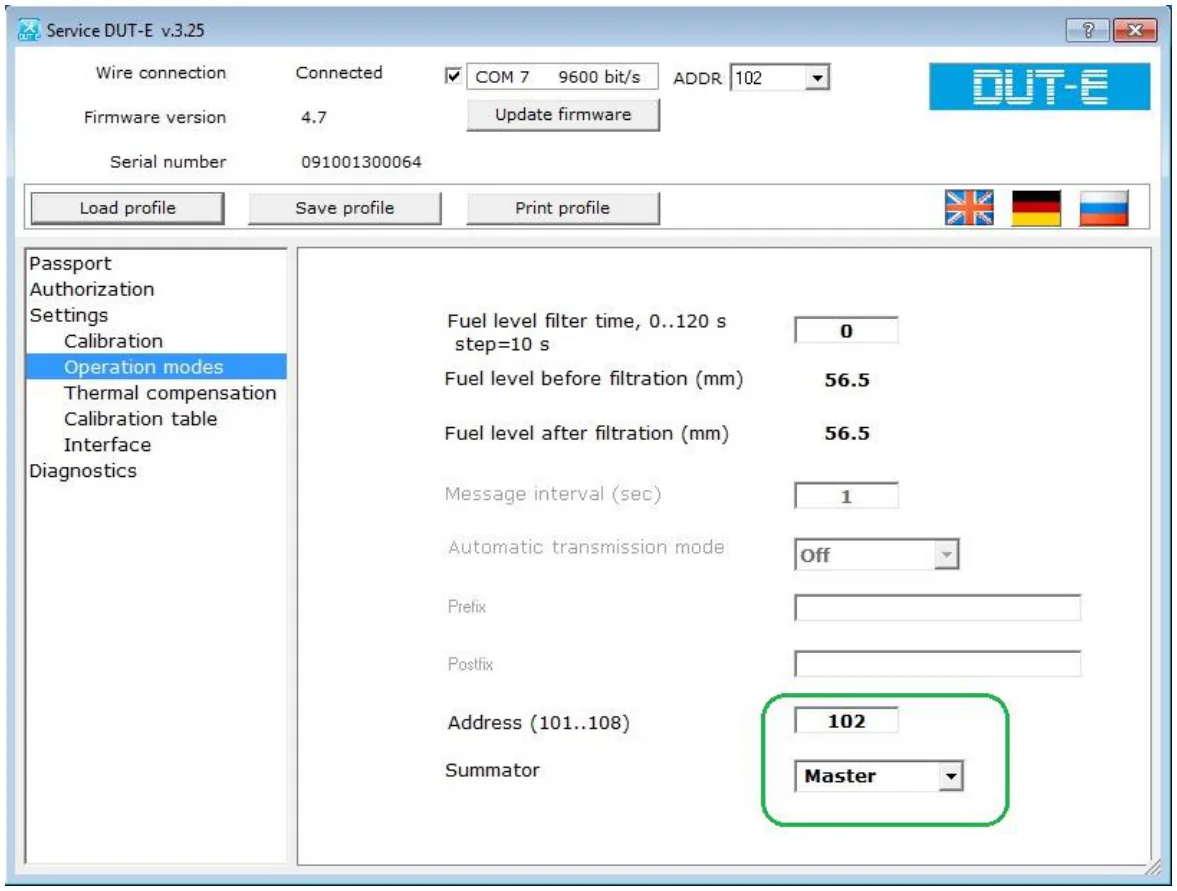
- Set the address under Operation modes: 101 for the first sensor, 102 for the second, and so on.
- With two sensors in one tank, set Summator to Slave on the sensor with the lower address and to Master on the one with the higher address. The Summator combines the two sensors into one reading for the tank.
Calibrate the tank
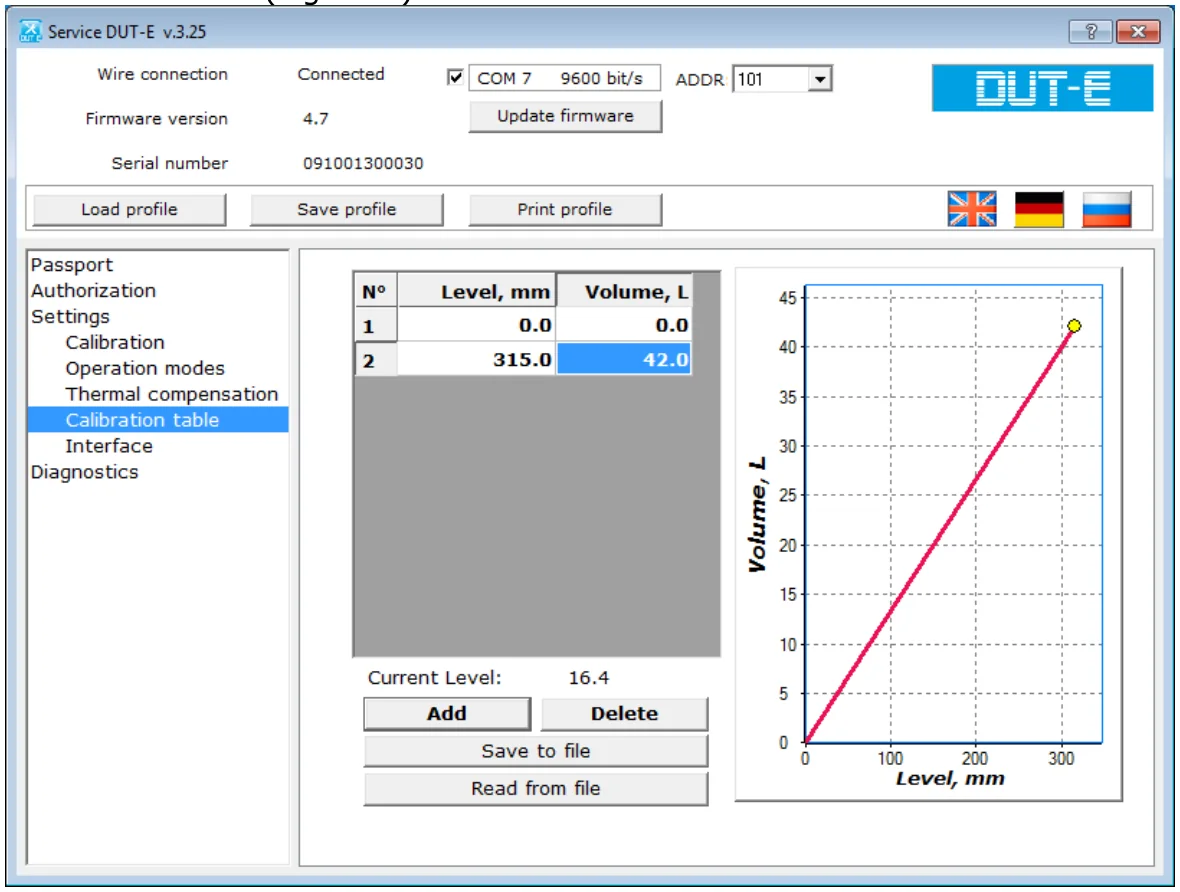
Fill the tank in measured portions and, after each one, record the fuel volume against the current fuel level. The result is the calibration table that converts level (mm) into volume (litres).
Configure the FM-Pro4
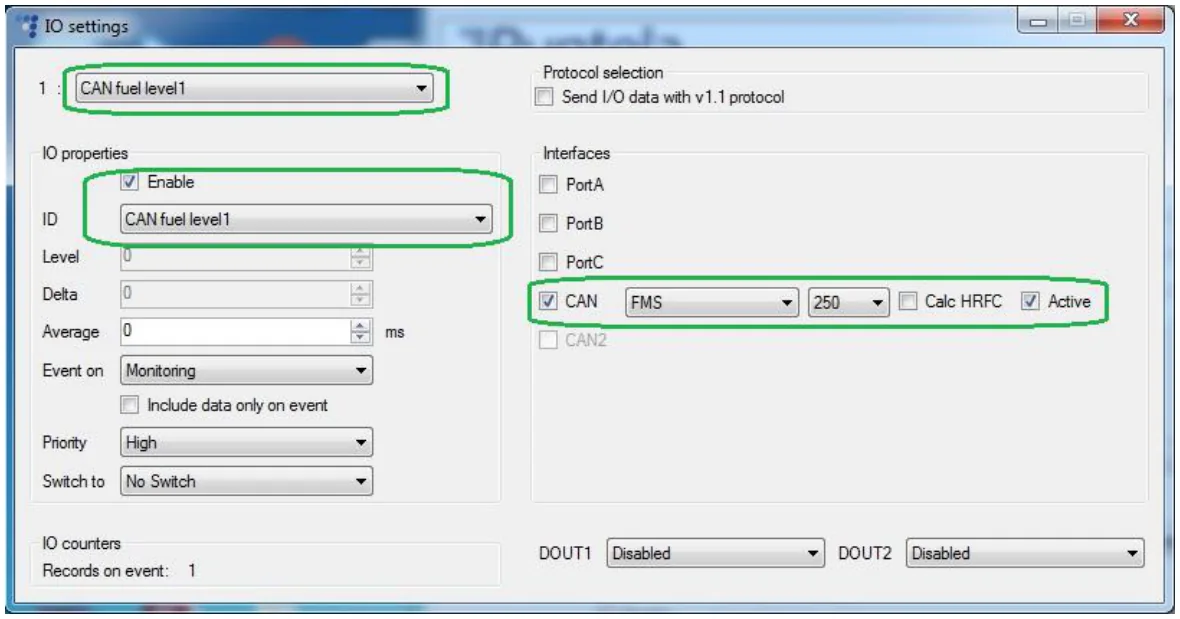
In Ruptela Configurator 00.02.16, open the IO settings:
| Setting | Value |
|---|---|
| IO slot | CAN fuel level1 |
| IO properties | Enable ticked, ID = CAN fuel level1 |
| Event on | Monitoring |
| Priority | High |
| Interfaces | CAN ticked, FMS, 250 (kbit/s), Active ticked |
Set up the fuel sensors in Wialon
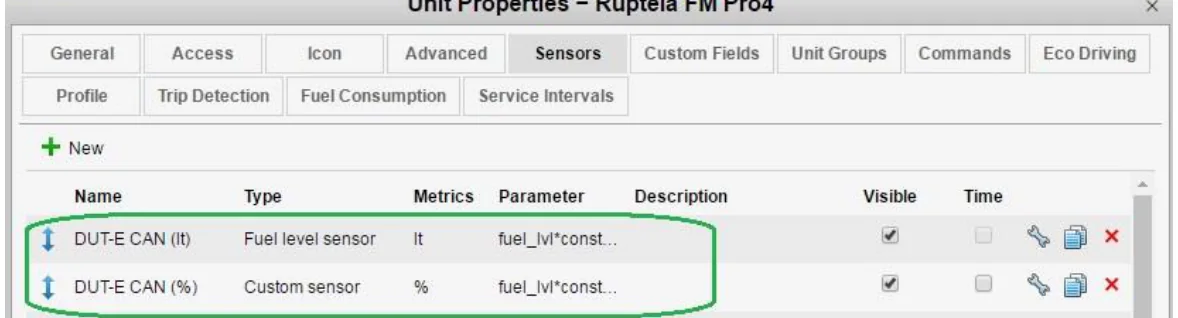
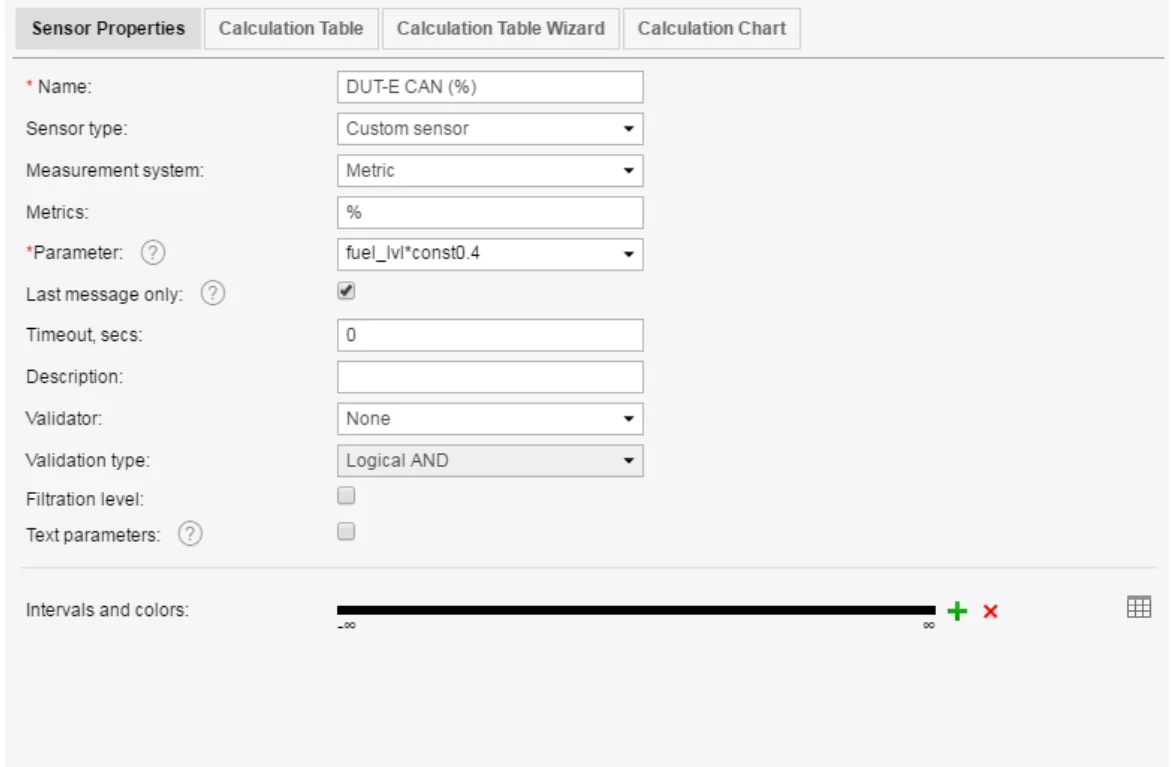
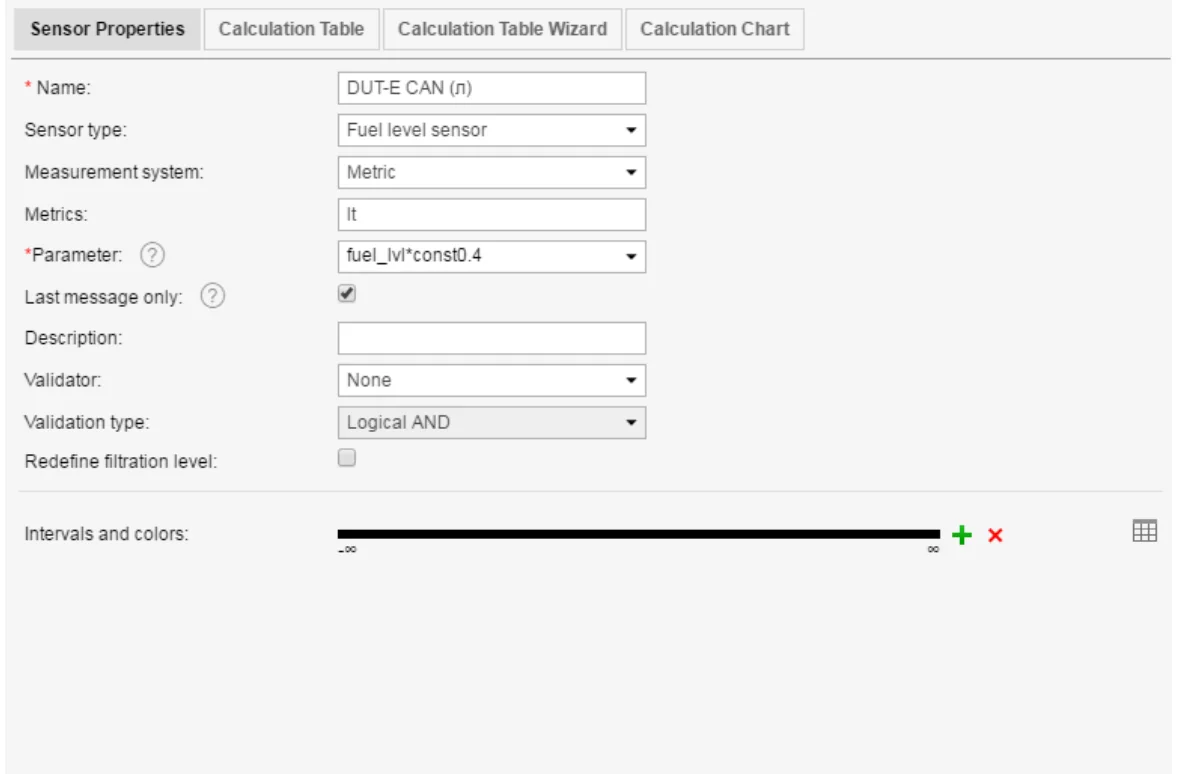
Register the FM-Pro4 in your fleet software. This example uses Wialon Hosting. Create two sensors on the unit: fuel level in percent and fuel volume in litres.
| Sensor | Type | Parameter | Unit |
|---|---|---|---|
| DUT-E CAN (%) | Custom sensor | fuel_lvl*const0.4 | % |
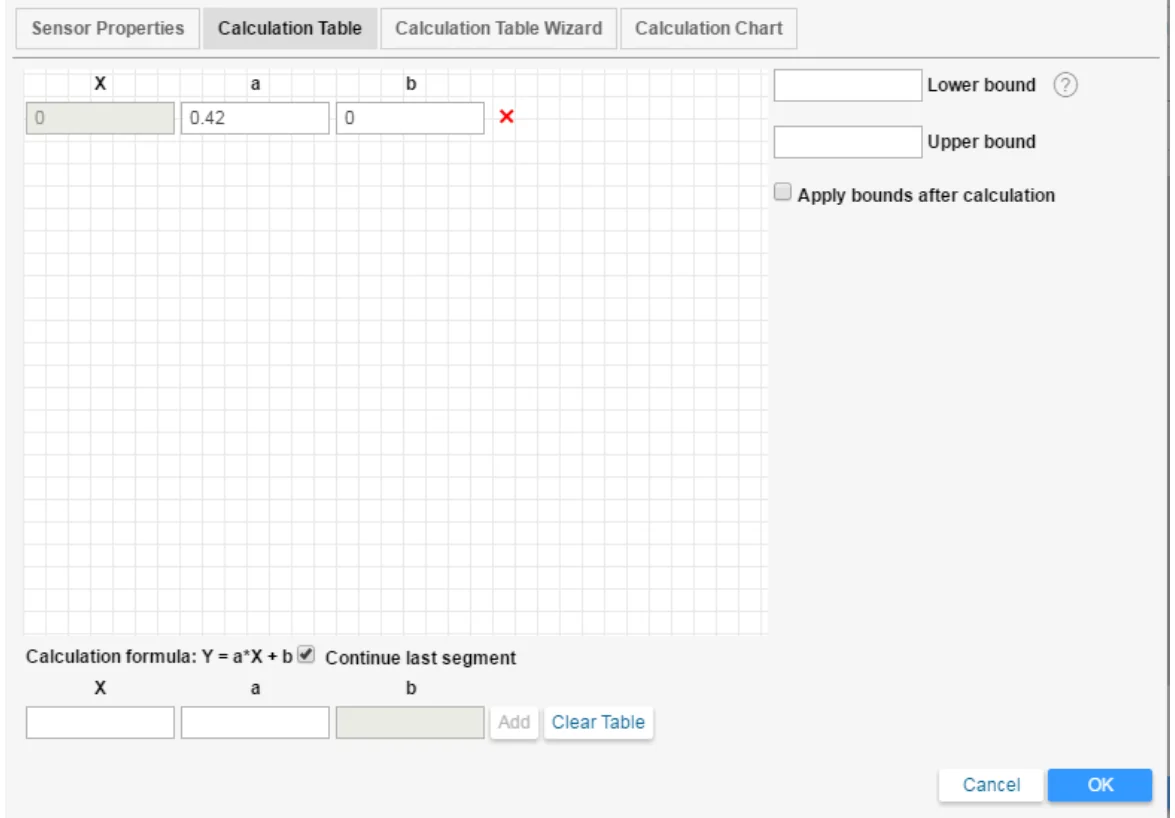
| DUT-E CAN (lt) | Fuel level sensor | fuel_lvl*const0.4, then the calculation table | L |
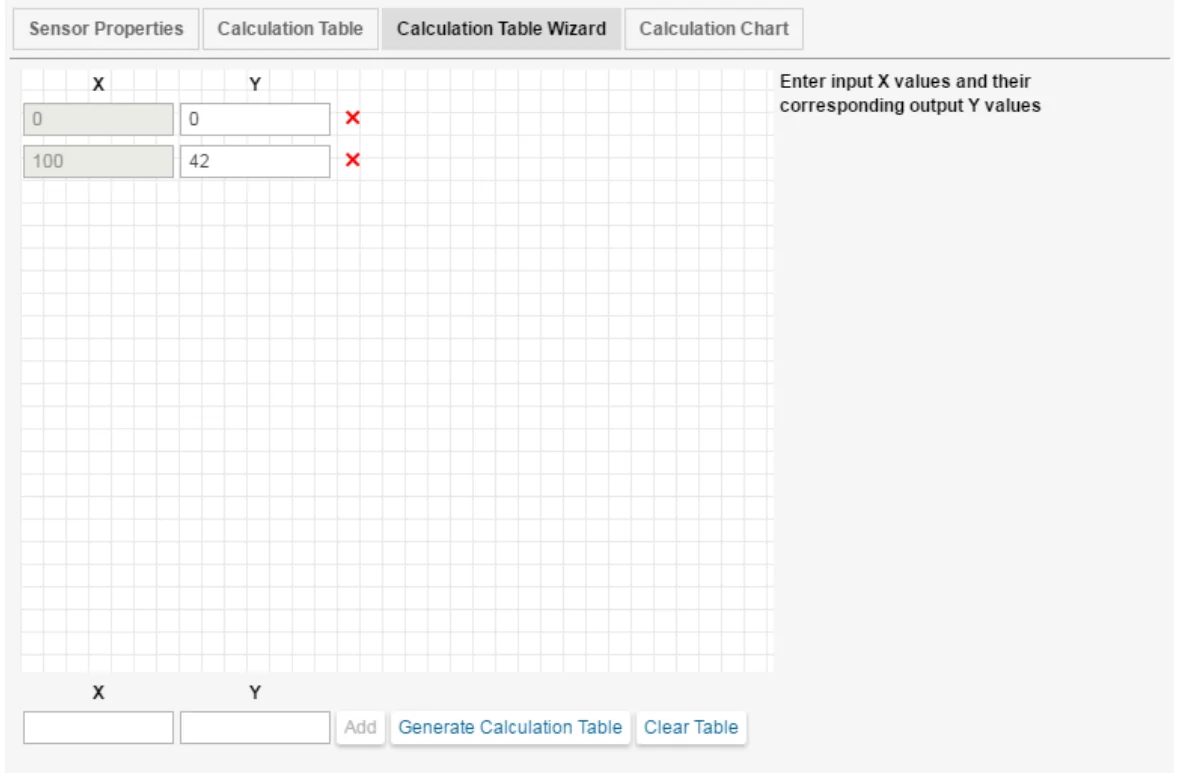
The litre sensor converts percent into litres with a two-point calculation table: 0% = 0 L and 100% = full tank volume (42 L in the test tank).
Fuel consumption, reports and filling alerts
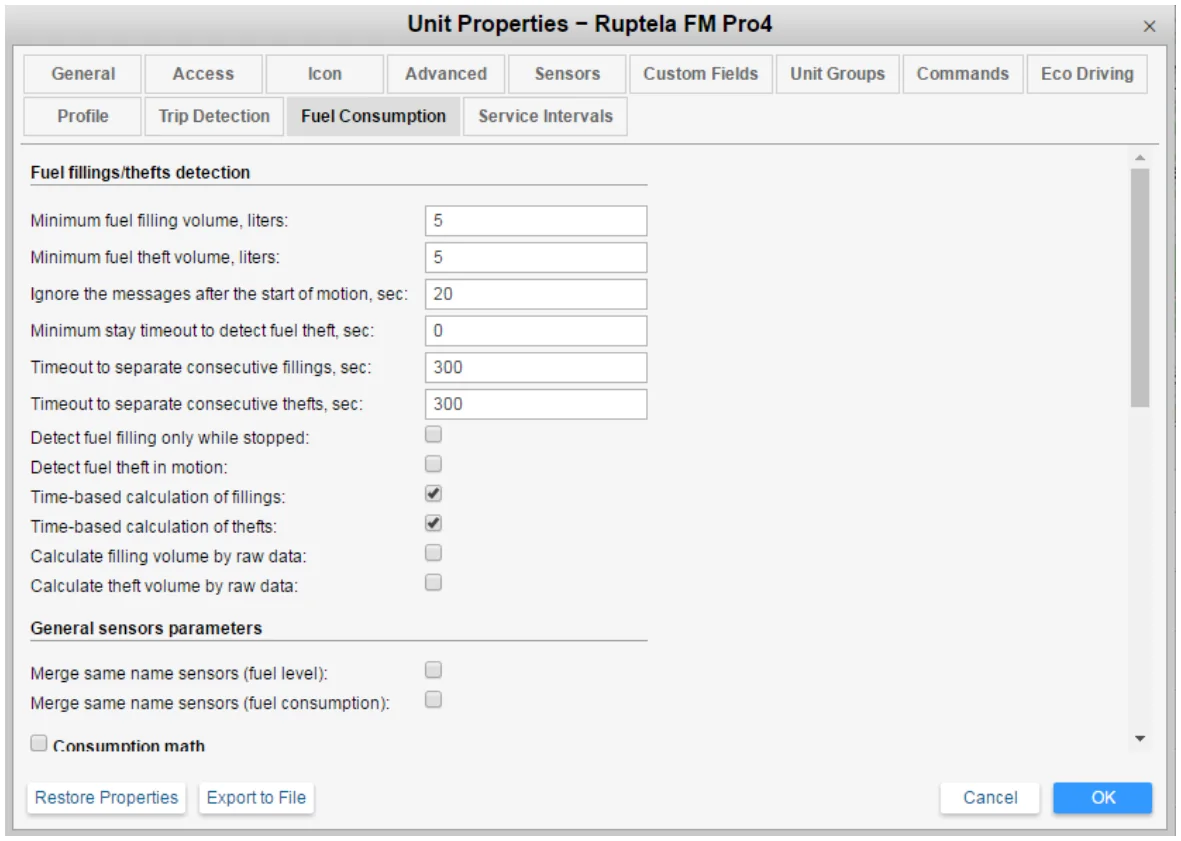
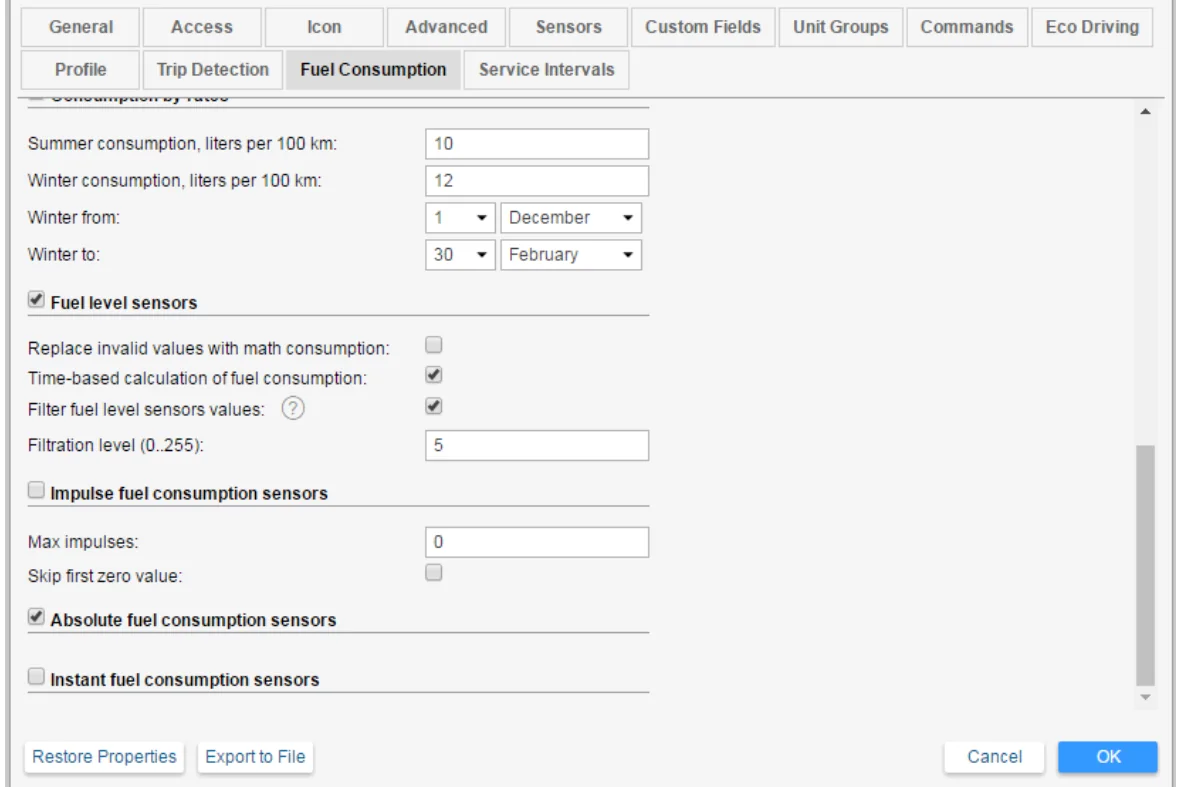
On the unit's Fuel Consumption tab, set the filling and theft detection thresholds and tick Fuel level sensors as the consumption source.
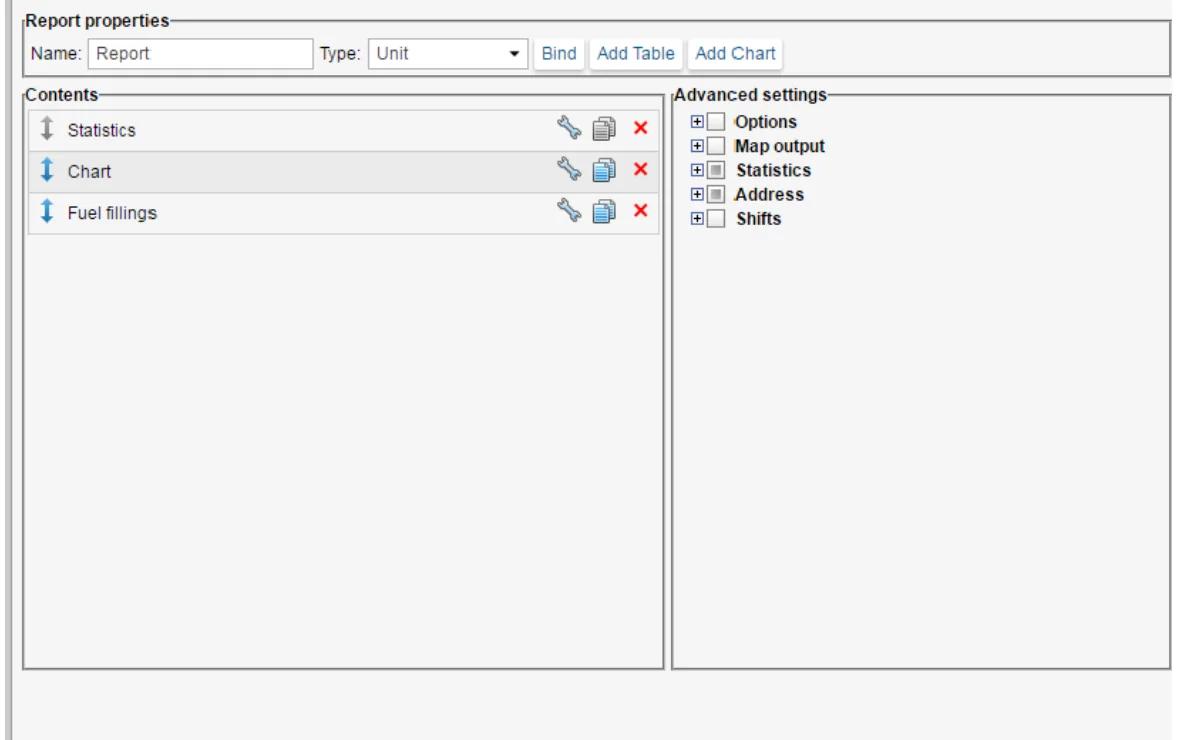
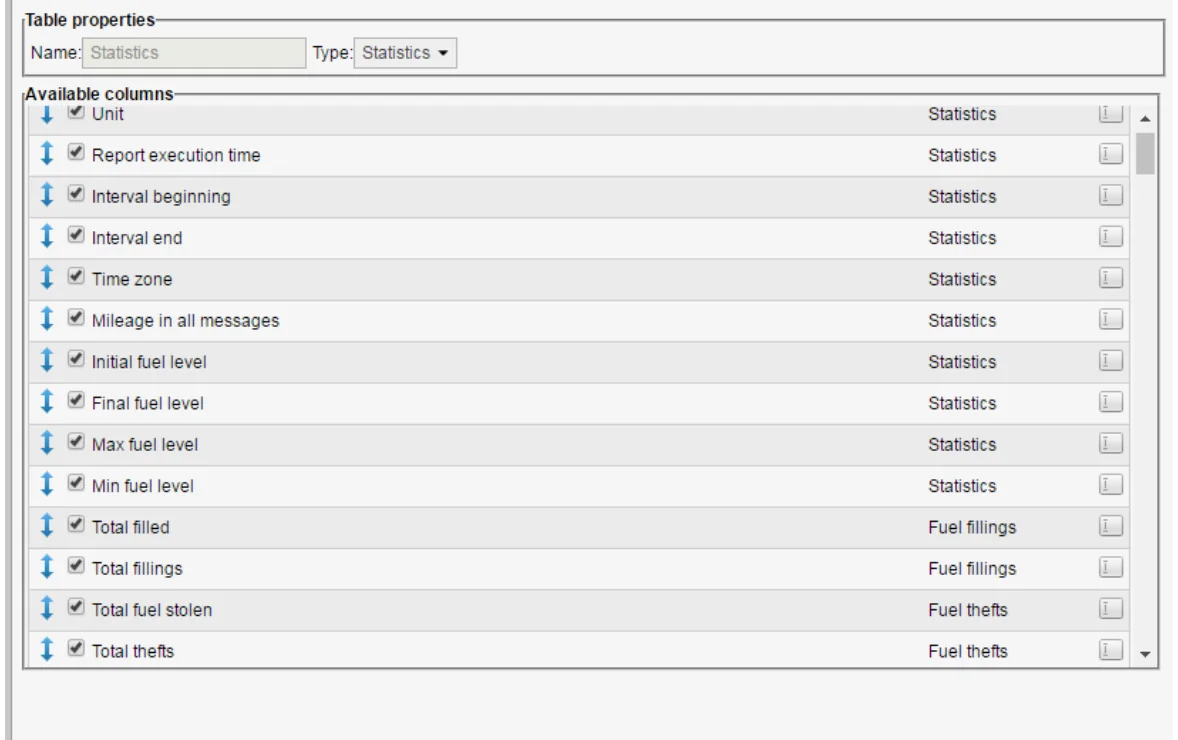
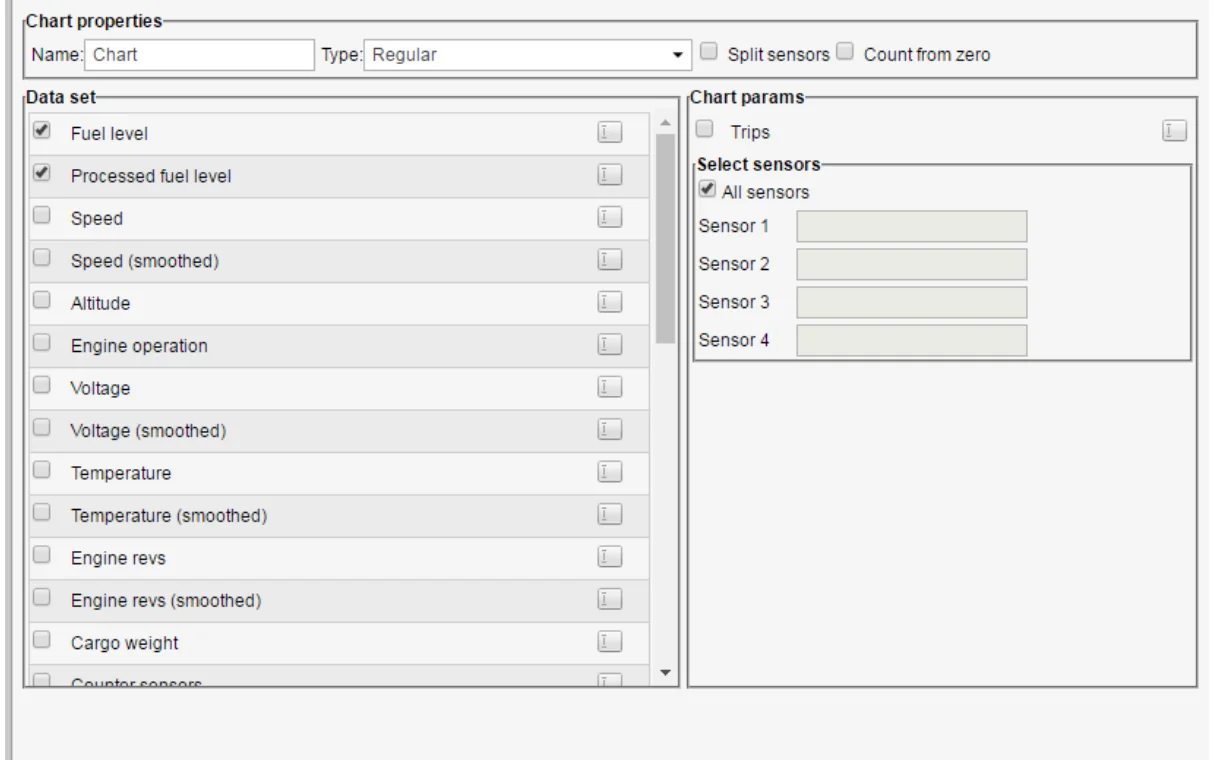
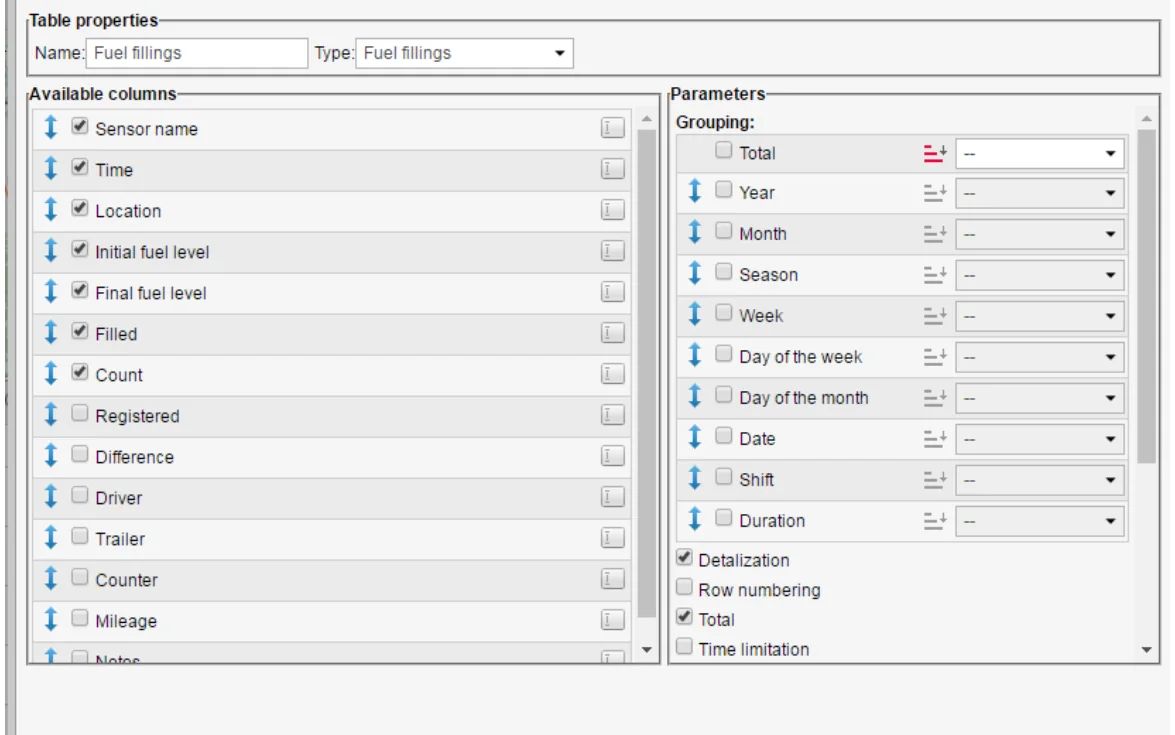
Create a report template with a statistics table, a fuel level chart and a fuel fillings table.
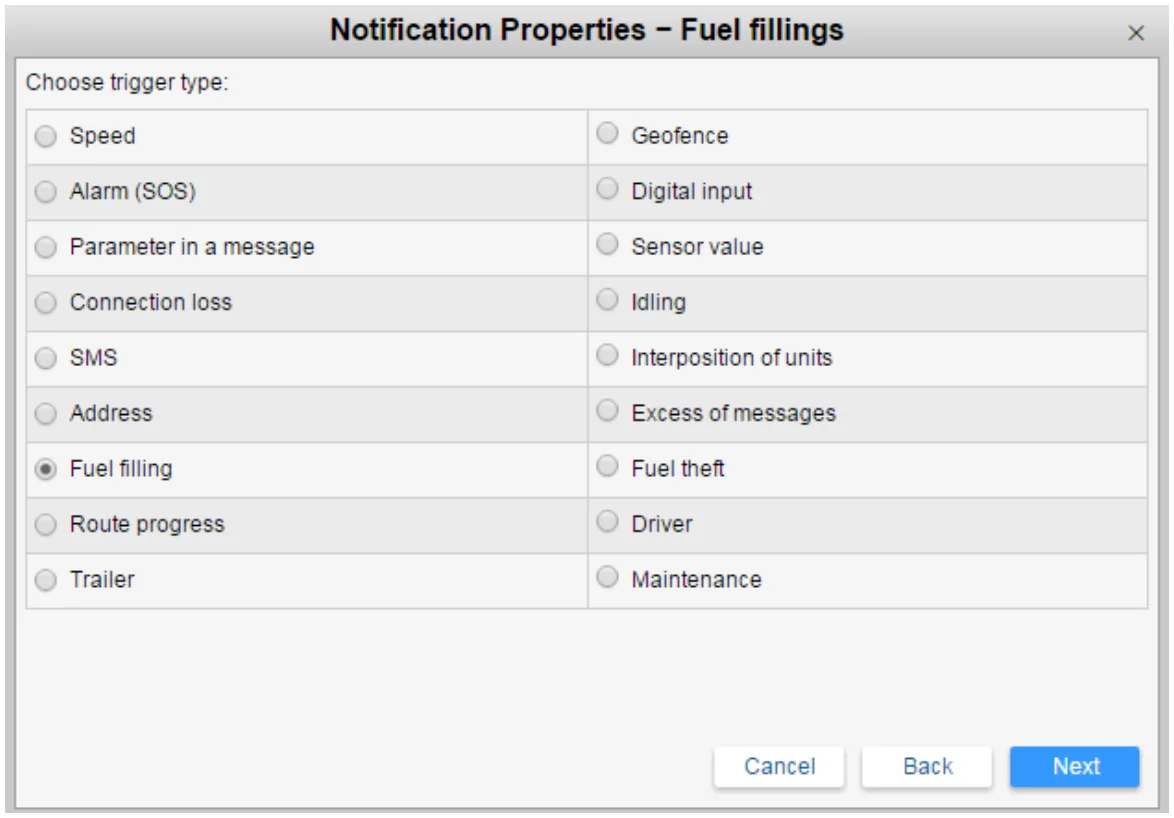
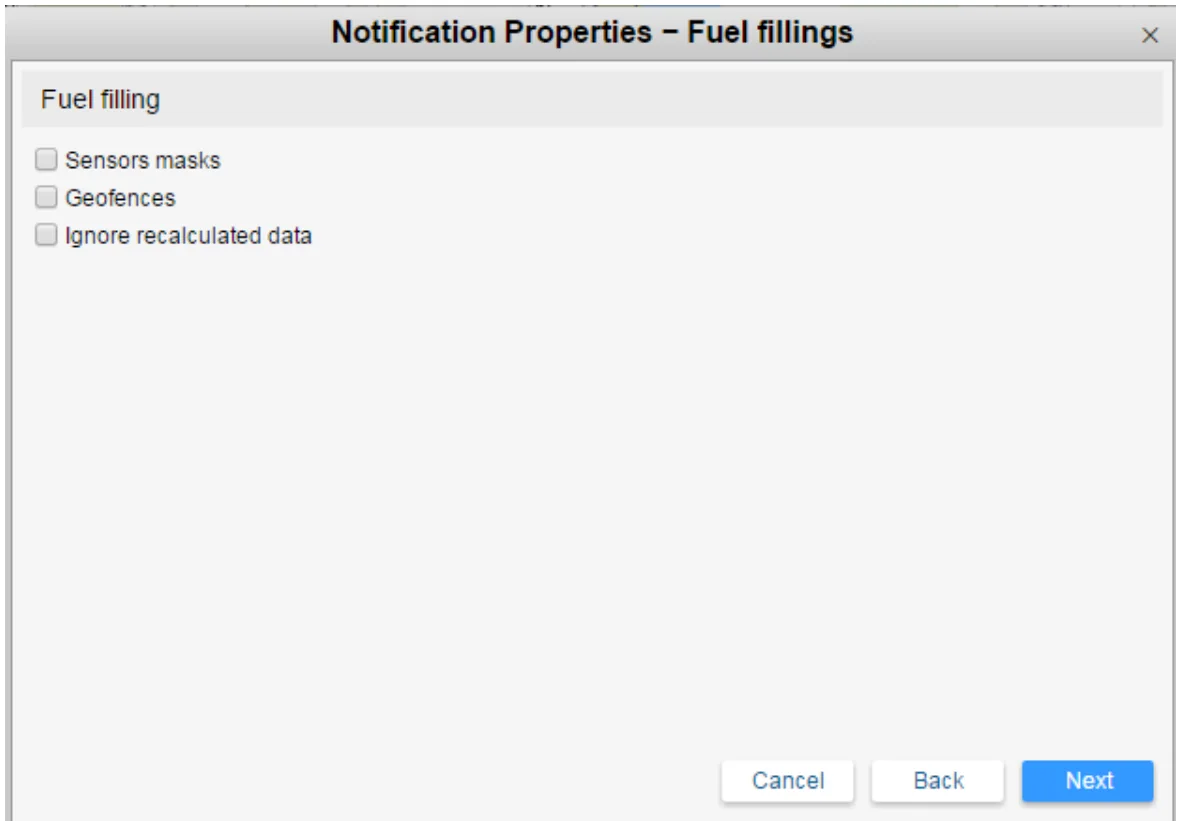
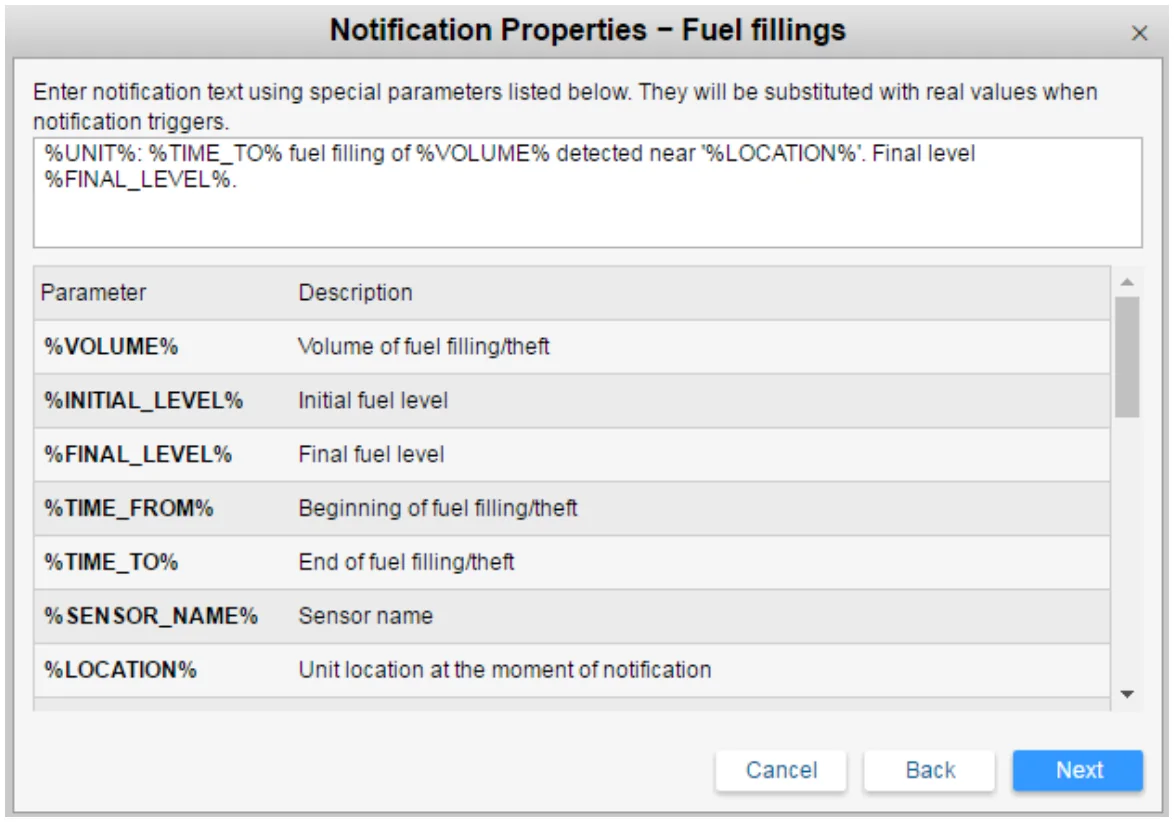
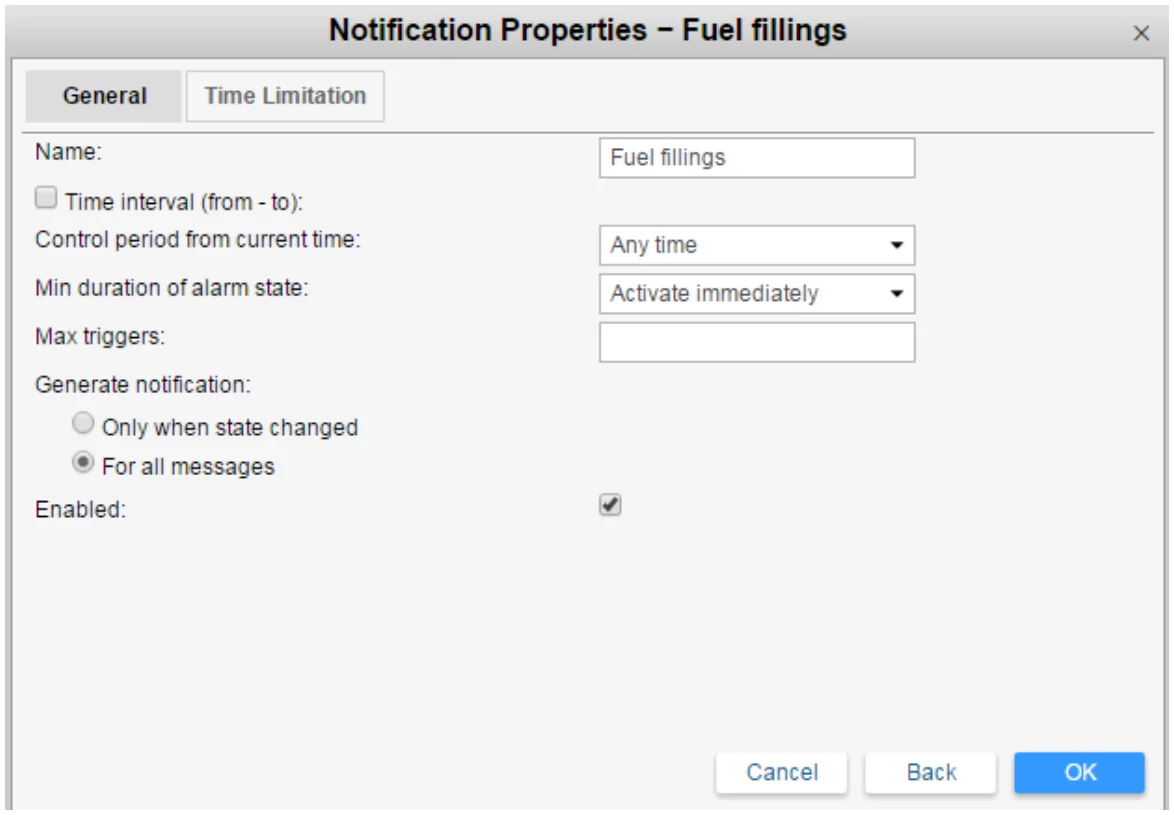
To be told about each filling, add a notification of the Fuel filling type and choose how to deliver it (e-mail, pop-up, event in the unit history). The message text can use variables such as %VOLUME%, %INITIAL_LEVEL%, %FINAL_LEVEL% and %LOCATION%.
Check the data
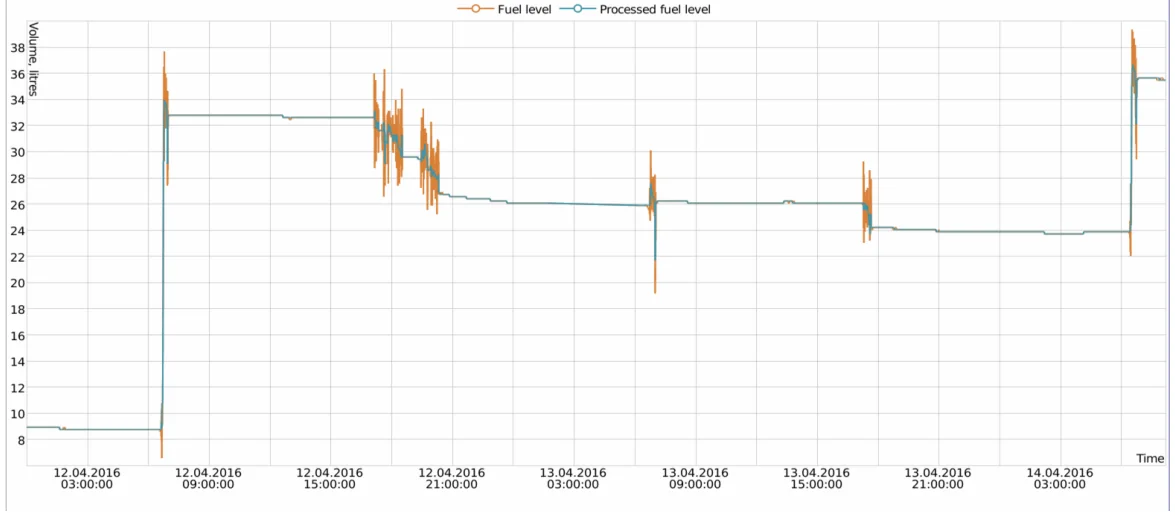
Run the report for a day with fillings. The fuel level chart should show a flat line while parked, a steady fall while working and a clear step at each filling.
Last updated 26 November 2026.
Setting up Ruptela FM-Pro4 + DUT-E CAN?
Send us your tracker firmware, the server you use and a screenshot of the settings. An engineer checks the setup and helps with the calibration.